
Campaigns report
In the Campaigns tab, you’ll see campaign statistics for emails grouped by the same sender address and subject, or the same campaign_id value in the API calls. These reports, unlike other data, are kept for a much longer period, up to 400 days. Also you’ll see the heat map for each campaign which helps you determine which parts of your message are most efficient.
Campaign report
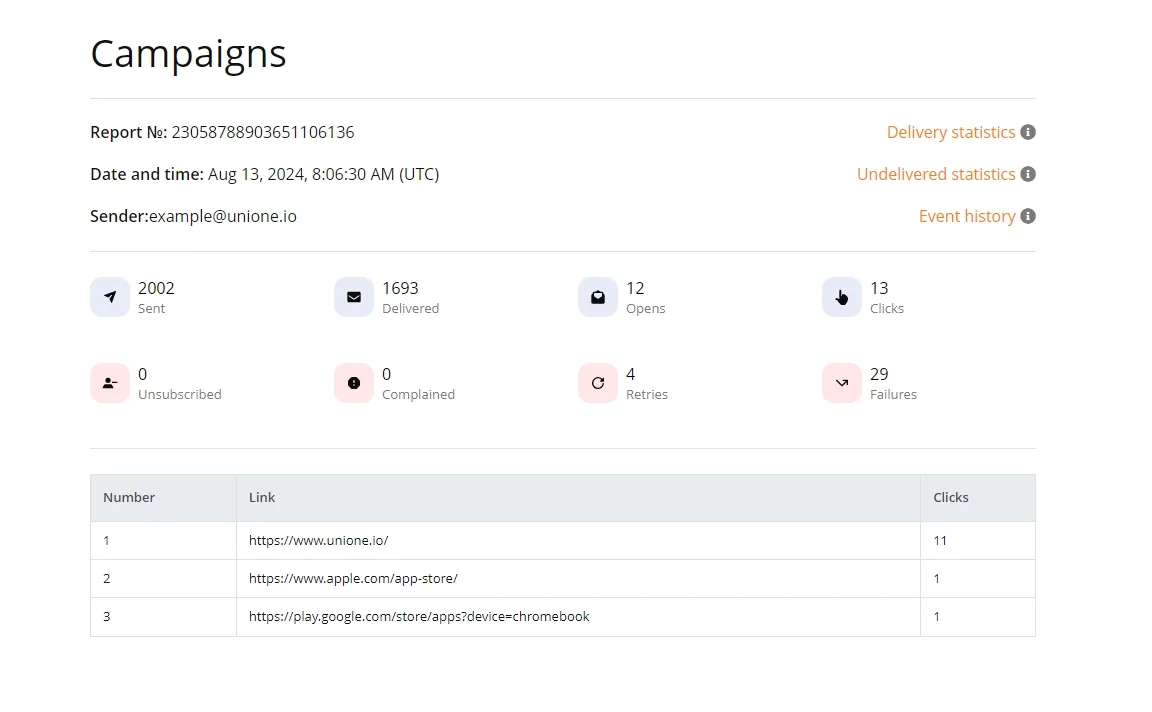
The screenshot below shows an example report that you’ll see after enabling campaign data collection. It includes campaign ID, email subject, sending date, number of emails sent and delivered, opens, clicks (with a breakdown by each unique link), delivery errors and unsubscribes.
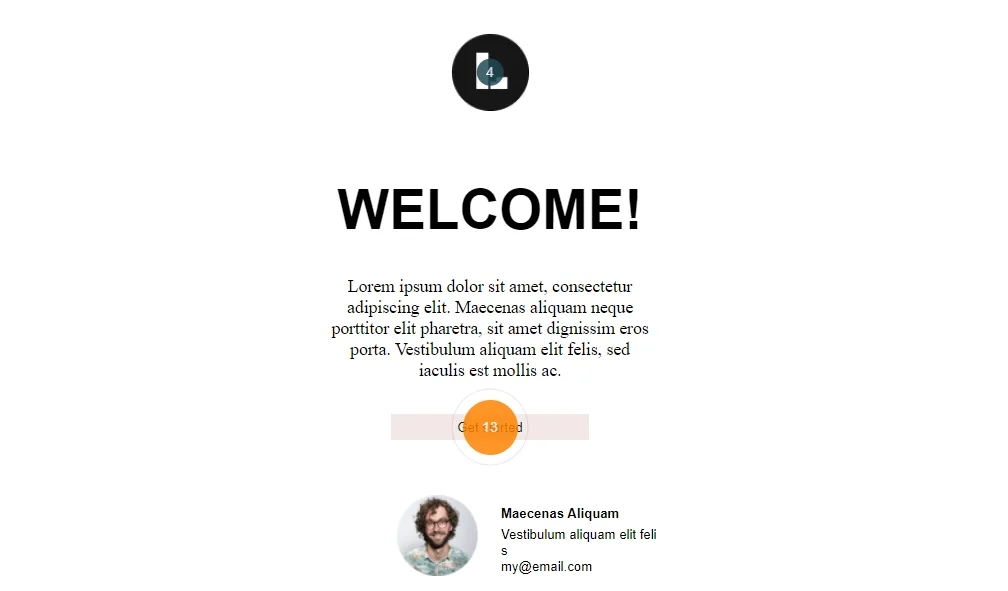
With the heat map option enabled, you will also see visualization of clicks in the email. Please note that the heat map does not display a unique visitor count, but the absolute number of clicks. Thus, if one recipient clicks on a link 10 times, the heat map will show 10 more clicks.
How to enable campaign data collection
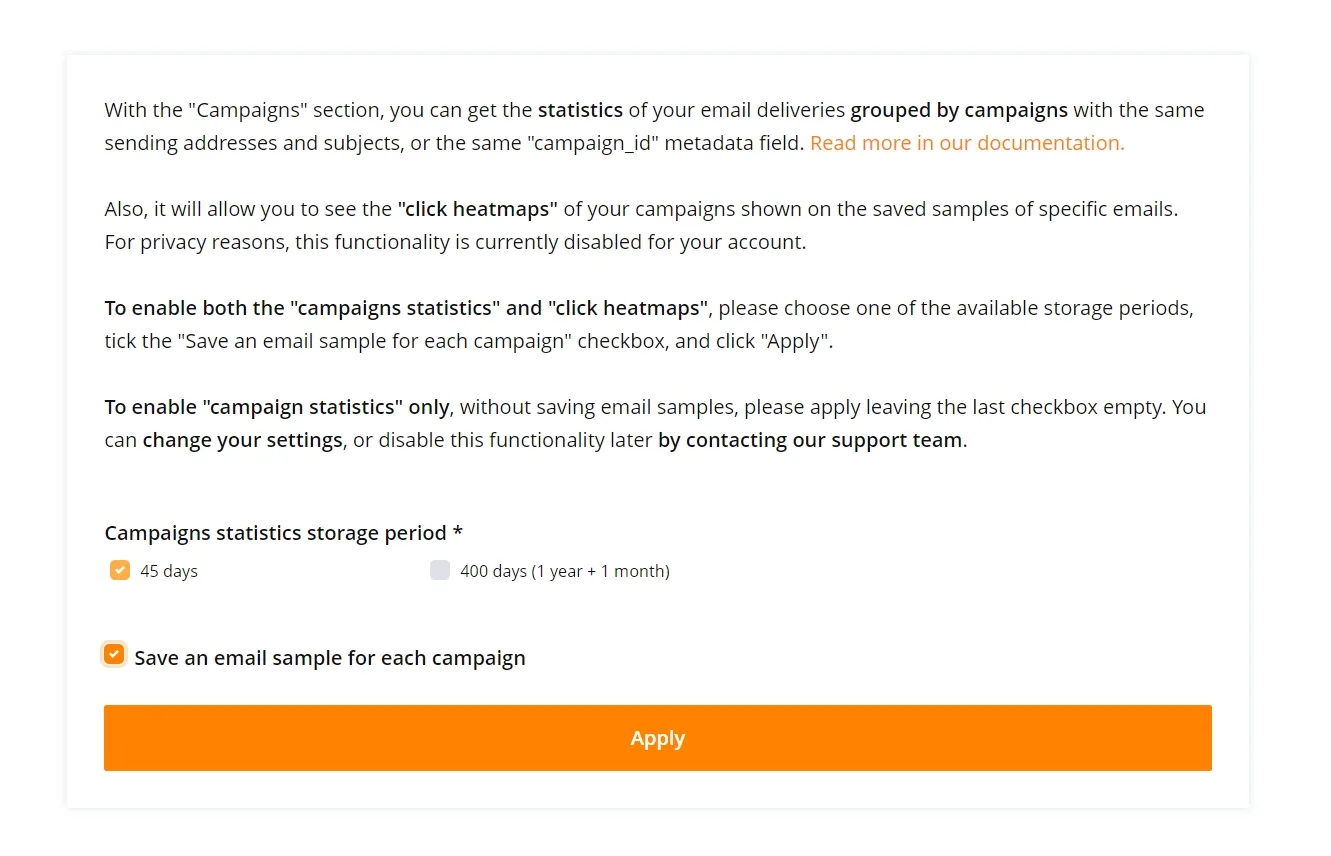
For privacy reasons, campaign information is disabled by default for all users and projects, but you can activate it in the “Statistics – Campaigns” section. The system will prompt you to select the period for storing your campaign data.
Two options are available, 45 and 400 days, which correspond to the time required to generate monthly and annual reports, respectively. You can evaluate the effectiveness of your mailings on a monthly basis or check how this year’s Black Friday campaign worked compared to last year.
A separate option must be enabled to allow saving a sample letter for each campaign, which is necessary to visualize the heat map. Leaving the checkbox empty will enable campaign statistics only, without saving letter samples.
Creating campaign IDs
To logically group your individual emails into one campaign, we use a campaign ID – a non-negative decimal integer or UUID up to 128 bits, provided as part of the metadata in the field named campaign_id. If the campaign_id parameter is omitted, the system will automatically generate a campaign_id, combining emails with the same subject and sender, sent during the same day according to UTC to 2 and more recipients in one request. Please note that the number of saved campaigns per day is limited to a maximum of 1000. You may encounter this limitation if you send personalized emails, with different subject lines for each one. In this case, it is recommended to explicitly pass the campaign_id parameter so that we can correctly combine different letters into one campaign. Another advantage of using campaign_id is that it can be used as a filter for grouping emails when calling event-dump/create or generating graphical statistics charts.
If you send both marketing campaigns and transactional letters and would prefer to exclude the latter from your report, specify a 0 (zero) value for your campaign_id when sending transactional emails, and they will not be included in the report. If, for some reason, you have disabled event storage, campaign statistics will not be collected.